Plant Management Software for Construction Site Teams
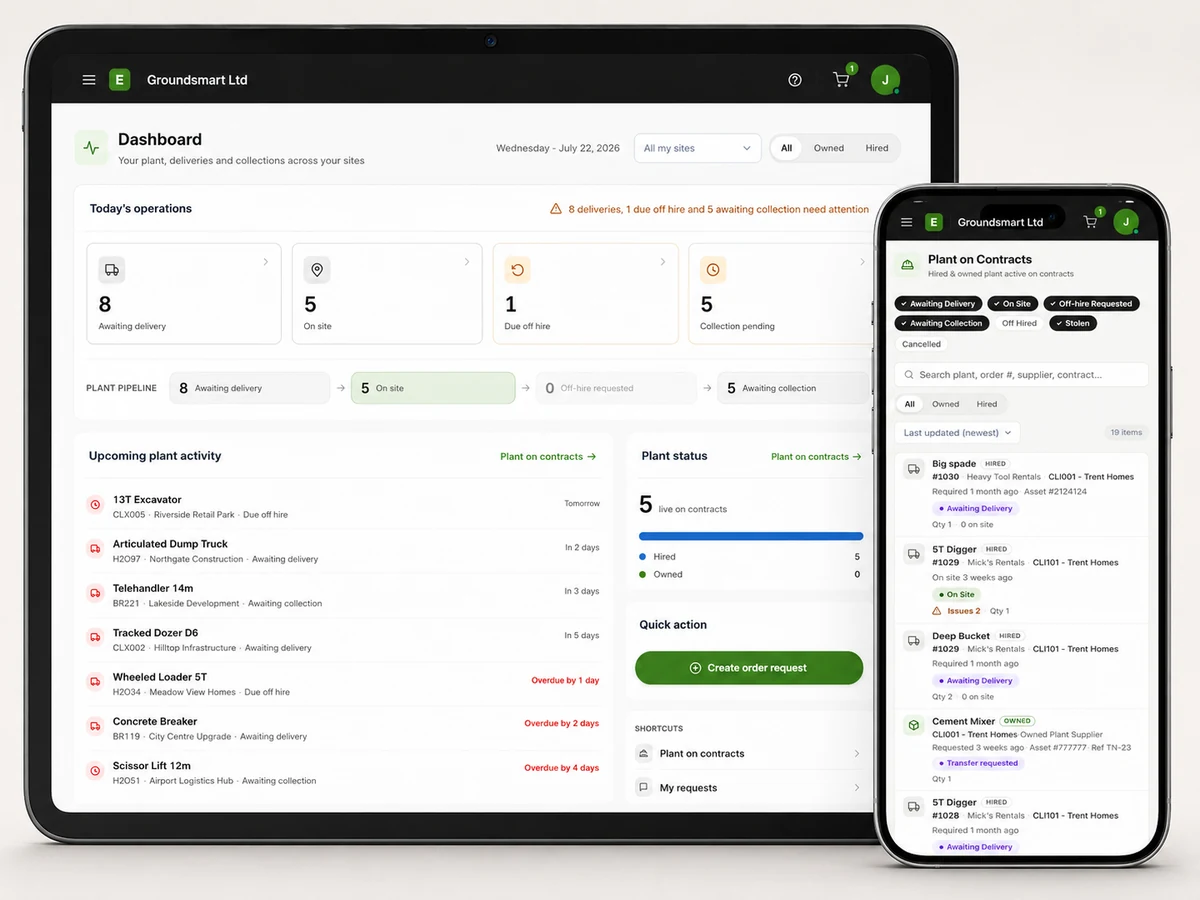
Request plant from site, request collections, report damage, faults or theft, and see the contract's recorded plant from a phone browser, reducing reliance on calls and messages.
Site teams need a clear, shared view of plant
Nobody knows the site's plant like the site team, and nobody has less visibility of what the office has done about it. Has the digger been ordered? When's it coming? Did anyone off-hire the pumps? The answers live in someone else's inbox, so the site rings, waits, and rings again.
The reporting runs the same way in reverse: breakdowns, damage and missing kit get phoned in, half-captured, and argued about later because nothing was written down at the time.
Contract plant in a supported mobile browser
User access is controlled by role. In a supported mobile browser, authorised site users can see hired and owned plant with statuses and dates, request plant or a collection, and report a fault, damage or theft against the relevant machine.
Requests land with the office as structured work, and their status is visible to the site, so "did anyone deal with that?" answers itself.
What site teams do in Equipbase
See what's on site
The contract's full plant list with status: what's ordered, on site, and awaiting collection.
Request plant
Ask for what the site needs; watch the request's status instead of chasing it.
Request off-hires
Request off-hire from site when the work finishes and track it through collection.
Report faults and damage
Problems recorded against the right machine, with details, at the moment they're found.
Report theft
Record missing plant with its date, quantity and contract to support office follow-up.
Request plant moves
Need kit from the depot or another contract? Submit a movement request for review.
What changes on site
For the site
Answers without waiting on the office.
- What's coming, what's here, what's going, all visible
- Requests raised in the moment, from the gate
- Reduce duplicate requests for plant already on the contract
For the office
Site truth arrives structured.
- Requests with context instead of voicemails
- Faults against the right asset, first time
- Off-hires requested when work ends, not remembered later
Frequently asked questions
Do site staff need training?
The browser-based site view focuses on common tasks such as viewing plant, raising requests and reporting issues. These workflows can be covered during onboarding.
Can a site see other sites' plant or costs?
Access is controlled by role. Administrators decide who receives a login, and we can demonstrate the current access model before rollout.
Does it need an app from an app store?
No. It runs in a supported modern mobile browser, with no app-store installation required.
Can subcontractor or client staff get site access?
An administrator controls who receives a login, their role and the contracts assigned to them. External-user access can be agreed as part of your setup.